 GBP
GBP € Euro
 $ USD
$ USD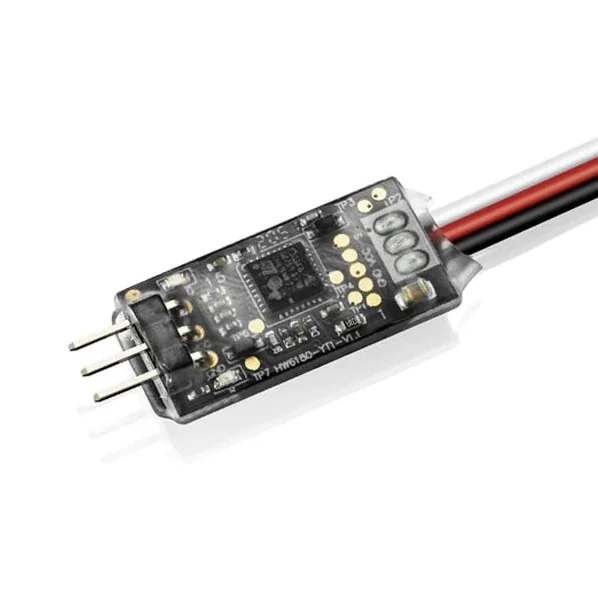
Hobbywing Futaba Telemetry Adapter
Brand: Hobbywing
Part No: HW30850500
In Stock: Usually ships same day
Finance options available at checkout.
Fits These Models (3)
Frequently Bought With
Other items customers often buy with the Hobbywing Futaba Telemetry Adapter
Description
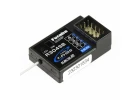
The Hobbywing Futaba Telemetry Adapter (HW30850500) enables real-time ESC telemetry on compatible Futaba radios by linking a supported Hobbywing ESC to a Futaba receiver using the S.BUS2 protocol. It is designed for setups where telemetry data can be transmitted back to the radio for live monitoring.
Suggested Compatibility
- Hobbywing Platinum V4, V4.1, and 5 series ESCs (or later) with a data backhaul function
- Futaba receivers that support S.BUS2
Wiring
- Connect the ESC telemetry port (often marked “-+P”) to the adapter “-P” side.
- Connect the adapter “-S.BUS2” lead to the S.BUS2 channel on the Futaba receiver.
- Connect the ESC throttle signal lead to the throttle channel on the Futaba receiver.
Parameter Setting Method
- Connect the adapter “-P” side to the Hobbywing LCD Program Box “ESC” port. Use a Y-wire from the “-S.BUS2” cable to the Program Box to supply power; powering the box with a battery is recommended (2S suggested).
- Press “OK” on the Program Box after connecting; the current firmware version will display when the connection is successful.
- Use “ITEM” to browse parameters and “VALUE” to change settings, then press “OK” to save.
- After setting parameters, disconnect power, then power up again to confirm the changes are applied.
Please Note
- Input voltage: 5–9V.
- The “-P” port does not provide power input.
Secured by Stripe
Hobbywing Futaba Telemetry Adapter Manuals & Guides
Specifications
This adapter is suitable for Platinum V4/4.1/ 5 series or later with data backhaul function. The electronic governor is connected to the Futaba receiver that supports the S.BUS2 protocol, enabling the ESC to transmit Telemetry data to the Futaba Radio in real-time displaying the functions.
1 The WiringPlease Note: The input voltage is 5-9V. The "-P" port does not provide a power input.
2 The Parameter Setting MethodKey Info:
- Brand: Hobbywing
- Part No: HW30850500
- Barcode: 6938994400435
- Fitment: Standard Part
Delivery & Returns
Standard Shipping
£3.95 to most of the UK
Express Shipping
£6.95 to most of the UK
Worldwide Shipping
Available at checkout
Customer Reviews
No specific product reviews yet, why not write one?Questions & Answers
For more in depth queries, please contact us.