 GBP
GBP € Euro
 $ USD
$ USD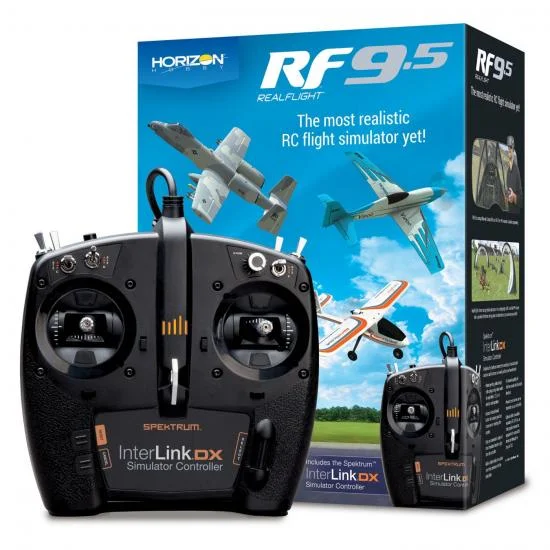
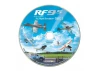
RealFlight RF9.5 + InterLink DX (DVD)
Brand: Real Flight
Part No: RFL1200
THIS ITEM IS DISCONTINUED AND NO LONGER AVAILABLE.
PLEASE SEE ITEM #RFL1200S AS A REPLACEMENT
Fits These Models (17)
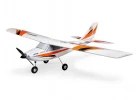 E Flite Apprentice STS - BNF Basic
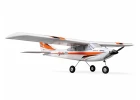 E Flite Apprentice STS 1.5m - RTF Basic
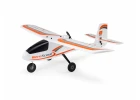 HobbyZone AeroScout S2 1.1m - BNF Basic
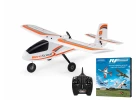 HobbyZone AeroScout S2 1.1m - RTF Basic With Realflight Simulator
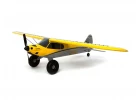 HobbyZone Carbon Cub S2 - BNF Basic
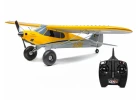 HobbyZone Carbon Cub S2 - RTF Basic
 HobbyZone Carbon Cub S2 1.3m - Cleetus McFarland Special Edition - BNF Basic
- HobbyZone Carbon Cub S2 1.3m - Cleetus McFarland Special Edition - RTF Basic
 HobbyZone Sport Cub S - RTF with SAFE
 HobbyZone Sport Cub S V2 - BNF Basic
 E Flite Apprentice STS - RTF With SAFE
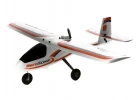 HobbyZone AeroScout S 1.1m - BNF Basic
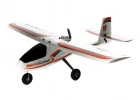 HobbyZone AeroScout S 1.1m - RTF
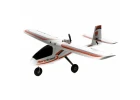 HobbyZone Aeroscout S2 1.1m - BNF Basic
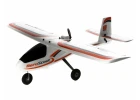 HobbyZone AeroScout S2 1.1m - RTF
- HobbyZone Carbon Cub S2 - RTF
- HobbyZone Sport Cub S V2 - RTF With SAFE
Related Items
Description
RealFlight RF9.5 with DVD and the Spektrum InterLink DX controller (part number RFL1200) delivers a leading RC flight simulator experience for training and skill-building. This package also includes a free upgrade to RF9.5S by exchanging your RF9/9.5 serial for a Steam key (internet connectivity required). With 170+ aircraft, 40+ flying sites, game-like challenges, and Virtual Flight Instructor lessons, it’s a powerful tool for both new and experienced pilots.
This edition includes physical DVDs for installation, while the InterLink DX replicates the feel and switch layout of popular Spektrum radios for intuitive control and practice.
New In RF9.5
- More than a dozen new aircraft from E-flite, HobbyZone, Hangar 9, and Synergy
- AMA IAC Flying Site 3 (PhotoField)
- Additional Virtual Flight Instructor lessons for beginners
- Highlights include: HobbyZone AeroScout S 1.1m; E-flite Habu STS 70mm; F-15 64mm; F-16 Thunderbirds 70mm; A-10 Twin 64mm; V1200 1.2m; Cirrus SR22T 1.5m; P-51D Mustang 1.5m; Twin Otter 1.2m (with/without floats); UMX Turbo Timber; Turbo Timber 1.5m (with/without floats); Night Timber X 1.2m; Hangar 9 Pitts S-2B 50–60cc; Synergy RC 696 Helicopter
Activate and update RF9.5 online to receive the latest aircraft versions.
Additional RealFlight Features
- True-To-Life physics for realistic flight behaviour
- Simple, intuitive interface
- 170+ aircraft and 40+ sites, including 3D fields and PhotoFields
- FlexiField Site Editor, aircraft editing and import
- Game-like challenges and online multiplayer
- Suggested compatibility with VR headsets, including Oculus Rift and HTC Vive (sold separately)
- Suggested compatibility with Spektrum wireless simulator dongles for use with DSM2/DSMX transmitters (sold separately)
- Optional adapter cord/cable set (RFL1015) available separately for suggested compatibility with other popular transmitters via the InterLink DX
Spektrum InterLink DX Controller Features
- Layout modelled after Spektrum transmitters with standard switch positions
- Patent-pending gimbals with spring configuration switch for Modes 1–4
- Exclusive Reset/Rewind button
- Controls most simulator functions from the transmitter
- Built-in sliders for drone camera control
- 15-channel capability; helps prevent wear on your field transmitter
Minimum Recommended System
- Windows 7/8/10
- Intel Pentium 1.0 GHz or equivalent
- 512 MB RAM
- 10 GB hard drive space
- DVD drive
- 3D accelerated video with:
- 32 MB dedicated video memory
- DirectX 9 compliant (Shader Model 2.0 or better)
- Spektrum InterLink DX controller, a Spektrum wireless simulator dongle with a DSM2/DSMX transmitter, a RealFlight-compatible controller, or a compatible gamepad/joystick
- Online activation required; internet connectivity required for activation and updates
Optimal System For Best Graphical Performance
- Dual Core 2.4 GHz CPU
- 2 GB RAM
- 3D accelerated video with 512 MB dedicated video memory
Multiplayer Requirements
- Broadband internet connection
- Computer microphone for voice chat
InterLink DX Controller Requirements
- USB port
- Suggested compatibility with FM or FM-selectable transmitters when using interface mode
VR Requirements
- Suggested compatibility with select VR systems (sold separately); check the VR manufacturer’s requirements
- Works with Oculus Rift and HTC Vive headsets
What’s Included
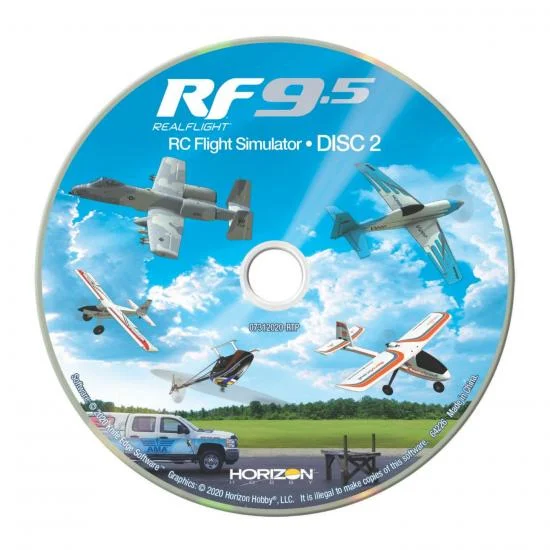
- (2) RealFlight 9.5 DVDs
- (1) Spektrum InterLink DX simulator controller
- (1) RealFlight installation guide
Needed To Complete
- Compatible PC desktop or laptop
- Internet connection for activation and updates
Secured by Stripe
Specifications
If you purchased RealFlight 9 or 9.5 at any time you can exchange the serial number for a Steam key to update to 9.5S at no charge! Internet connectivity is required to complete the exchange.
This version includes a DVD, unlike the newer versions which are download only
RealFlight® is the #1 RC flight simulator in the world! It's the absolute best tool new RC pilots can use when learning how to fly. It also makes it possible for experienced RC pilots to practice new maneuvers and to hone their skills so they can become even better pilots.
With more than 170 different aircraft to fly — including airplanes, helicopters, drones and more — at over 40 different flying sites, plus the ability to edit aircraft and sites, there's an almost infinite number of flying options available. Add in game-like challenges that make flight training fun, multiplayer options so you can fly and compete with other pilots online, compatibility with VR headsets, and many, many more features, and you have everything you need to succeed at the field — because you can "fly" on a desktop at home, or on a laptop just about anywhere else!
RealFlight 9.5 adds more of the most popular aircraft from the Best Brands in RC, along with the AMA Headquarters' International Aeromodeling Center (IAC) Flying Site 3 and additional Virtual Flight Instructor lessons, to deliver an experience you simply can't find anywhere else. It's also available with the Spektrum® InterLink® DX simulator controller modeled after Spektrum transmitters including all standard switch locations and functions so it works just like your favorite radio!
RealFlight 9.5 includes more than a dozen new aircraft* from E-flite®, HobbyZone®, Hangar 9®, and Synergy:
- HobbyZone AeroScout™ S 1.1m with SAFE® Technology
- E-flite Habu STS 70mm EDF Jet with SAFE Technology
- E-flite F-15 Eagle 64mm EDF Jet with AS3X® and SAFE Select Technologies
- E-flite F-16 Thunderbirds 70mm EDF Jet with AS3X and SAFE Select Technologies
- E-flite A-10 Thunderbolt II Twin 64mm EDF Jet with AS3X and SAFE Select Technologies
- E-flite V1200 1.2m with AS3X and SAFE Select Technologies
- E-flite Cirrus SR22T 1.5m with AS3X and SAFE Select Technologies
- E-flite P-51D Mustang 1.5m with AS3X and SAFE Select Technologies
- E-flite Twin Otter 1.2m with AS3X and SAFE Select Technologies
- E-flite Twin Otter 1.2m with Floats, AS3X and SAFE Select Technologies
- E-flite UMX Turbo Timber® with AS3X and SAFE Select Technologies
- E-flite Turbo Timber 1.5m with AS3X and SAFE Select Technologies
- E-flite Turbo Timber 1.5m with Floats, AS3X and SAFE Select Technologies
- E-flite Night Timber X 1.2m with AS3X and SAFE Select Technologies
- Hangar 9 Pitts S-2B 50-60cc
- Synergy RC 696 Helicopter
- And more!
- *Please be sure to activate and update your RF9.5 online to receive the latest versions of all aircraft.
If you purchased RealFlight 9 at any time, you will receive an online update to 9.5 at no charge! Internet connectivity required to download the update after RealFlight 9.5 is released in late October 2020.
New RealFlight® 9.5 Features
- More than a dozen new aircraft including trainers, scale, sport, jet and heli models from E-flite, HobbyZone, Hangar 9, and Synergy
- Fly at the newest PhotoField™ – Flying Site 3 at the AMA Headquarters' International Aeromodeling Center (IAC)
- Additional Virtual Flight Instructor lessons for new pilots learning to fly
Additional RealFlight® Features
- Industry-leading True-To-Life™ physics that make every flight more lifelike than any other sim
- A simple and intuitive interface for zero learning curve, zero hassle, and more fun
- More than 170 aircraft including airplanes, helicopters, drones, and more
- Over 40 different flying sites including 3D fields and PhotoFields
- FlexiField™ Site Editor so you can make fields your own
- The ability to edit aircraft and to import custom aircraft
- Game-like challenges that make flight training fun and interactive
- Multiplayer options so you can fly or compete with other pilots online
- Compatible with VR headsets, including the Oculus™ Rift and HTC® Vive™ VR headsets (sold separately)
- Works with Spektrum® wireless simulator dongles for use with compatible DSM2/DSMX equipped transmitters (sold separately)
Spektrum® InterLink® DX Simulator Controller Features
- Modeled after Spektrum transmitters including all standard switch locations and functions so it works just like your favorite radio
- Patent-pending gimbal design with spring configuration switch for easy Mode 1, 2, 3 or 4 selection and operation
- Exclusive Reset/Rewind button for replaying your best maneuvers or resetting after crashes
- Easy and convenient control of most simulator functions right from the controller
- Built-in sliders help drone pilots zero their cameras in for the best shots
- 15-channel capability for effortless control of all available functions
- Prevents wear and tear on your field transmitter
- Optional adapter cord/cable set available separately (RFL1015) to use other popular transmitters equipped with a compatible trainer port through the InterLink DX
Minimum Recommended System*
- Windows® 7 or Windows 8 or Windows 10**
- Intel® Pentium® 1.0GHz or equivalent
- 512 MB RAM
- 10 GB Hard Drive Space
- DVD Drive
- 3D Accelerated Video with:
- 32 MB Dedicated Video Memory
- Fully DirectX® 9 compliant (Shader Model 2.0 or better)
- Spektrum® InterLink® DX Simulator Controller, a Spektrum wireless simulator dongle plus a compatible DSM2/DSMX equipped transmitter, a RealFlight® compatible controller, or other compatible Gamepad/Joystick
- Online Activation Required
- Internet connectivity required for activation** and to download additional content and updates
Optimal System
For Best Graphical Performance:
- Dual Core 2.4GHz CPU
- 2 GB RAM
- 3D Accelerated Video with: 512 MB dedicated video memory
Multiplayer Requirements:
- Broadband Internet connection
- Computer microphone for voice chat
InterLink® DX Controller Requirements:
- USB Port
- Compatible FM or FM-selectable transmitter (if using the interface mode)***
VR Requirements:
- Compatible with some VR sets (available separately). Check manufacturer's requirements for VR system use.
- Works with both the Oculus Rift and HTC® Vive™ VR headsets
- * Some graphical features may be disabled. Aerodynamic calculations will remain high quality
- ** Administrator access required in Windows 10
- *** Adapter cord/cable set available separately (RFL1015) for use with the InterLink DX that will make it compatible with the trainer jacks on most Futaba® plus all JR® and Spektrum™ transmitters
- Windows is a registered trademark of Microsoft Corporation in the United States and other countries.
In The Box
- (2) RealFlight® 9.5 DVDs
- (1) Spektrum® InterLink® DX Simulator Controller
- (1) RealFlight Installation Guide
Needed to Complete
- Compatible PC desktop/laptop
- Internet connection for activation and updates
Key Info:
- Brand: Real Flight
- Part No: RFL1200
- Barcode: 605482718759
- Fitment: Option Part
Additional Categories:
Delivery & Returns
Standard Shipping
£3.95 to most of the UK
Express Shipping
£6.95 to most of the UK
Worldwide Shipping
Available at checkout
Customer Reviews
No specific product reviews yet, why not write one?Questions & Answers
I'm very sorry but no software is currently compatable with a Mac, you would need to run a side bt=y side opperating system using windows
No this comes with the software disk ready to use.
If you copy this link this will show you what is on version 9.5 at the moment
https://www.realflight.com/products/rf95/faq.php?moreinfo=aircraft
No sorry this is windows based only .
Yes, the included transmitter has a lead with a USB plug which plugs into your PC
Not sure what you mean by admin access - that would depend on your particular PC setup.
Yes you could play on a TV if you connected your PC to your PC (eg with an HDMI cable)
For more in depth queries, please contact us.