 GBP
Customers Also Buy
Popular with customers who buy products like the Hitec DPC-11 Servo Programmer
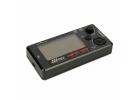

Description
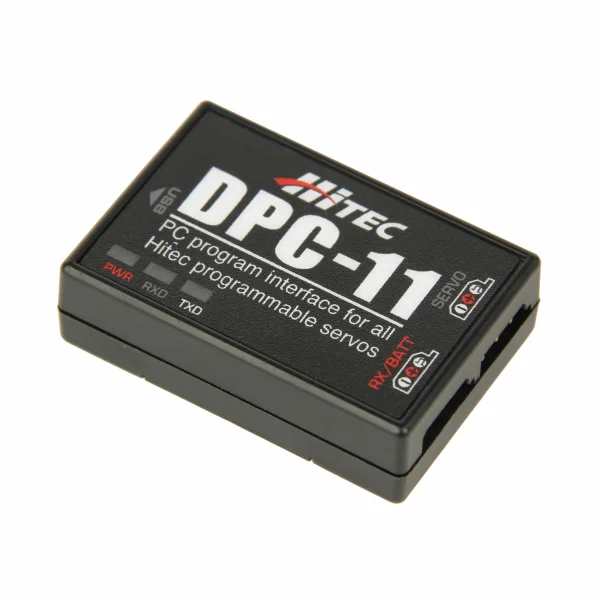
The Hitec DPC-11 Servo Programmer (part number 2229102) is a PC dongle that lets you programme, adjust and test Hitec digital servos using a computer. It is particularly useful when you have several servos to configure, because the PC software keeps the setup process straightforward. The DPC-11 software is a free download.
Suggested compatibility covers Hitec HS-5XXX, HS-7XXX, HSB-9XXX and D-series servos, so it is worth checking your servo's series before use.
On the programming side, you can set the centre and end points to define the range of movement, choose the direction of rotation, and adjust the dead band, which is the electronic play around the neutral position. Speed can be slowed where needed, and a soft start lets the servo move gradually to neutral when powered up. Fail-safe can be switched on or off with a chosen position for signal loss, and overload protection softens the servo under load to help prevent burn-out in extreme cases.
Settings can be saved and loaded as parameter files, which makes it easy to copy a configuration across several servos, and the factory default file restores the original settings whenever required.
Testing Before Installation
Settings can be checked before the servo is fitted into a model. Servo travel can be tested by manual positioning, by an automatic sweep across the full range, or by step positioning for incremental movement. The programmed fail-safe position can also be tested to confirm the servo moves where you expect.
Key Features
- Programs and adjusts Hitec digital servo parameters from a PC
- Tests settings before servo installation
- Saves and loads servo parameter files
- Restores factory default files through the DPC-11 software
Secured by Stripe
Hitec DPC-11 Servo Programmer Manuals & Guides
Manuals & Guides
Specifications
The DPC-11 servo programming device (PC dongle) facilitates the programming, adjustment, and testing of Hitec digital servos using a computer. This tool is particularly useful for configuring multiple servos, as the intuitive PC software streamlines the setup process. It is compatible with the following Hitec servo models: HS-5XXX, 7XXX, HSB-9XXX, and the D-series.
Programming ListThe following functions can be programmed into HiTEC BLDC servos using the DPC-11:
For testing HiTEC BLDC servos, the following functions are available:
- Manual Positioning for direct control over the servo's position.
- Automatic Sweep Positioning for continuous movement across the servo's range.
- Step Positioning for incremental movement to test precision and responsiveness.
Hitec DPC-11 Servo Programmer Key Features:
The DPC-11 servo programming device (PC dongle) facilitates the programming, adjustment, and testing of Hitec digital servos using a computer. This tool is particularly useful for configuring multiple servos, as the intuitive PC software streamlines the setup process. It is compatible with the following Hitec servo models: HS-5XXX, 7XXX, HSB-9XXX, and the D-series.
Programming ListThe following functions can be programmed into HiTEC BLDC servos using the DPC-11:
- Setting the middle and end points (180 function) to define the range of motion.
- Setting the direction of rotation (clockwise/counterclockwise) to determine the operational direction.
- Setting the dead zone (electronic "play") to adjust sensitivity around the neutral position.
- Adjusting the speed to make the servo slower if necessary, providing control over movement speed.
- Adjusting the soft start, ensuring the servo gradually moves to its neutral position upon activation for smoother operation.
- Setting the fail-safe function to specify the servo's behavior in case of signal loss or interruption.
- Setting the overload protection to prevent damage by making the servo "soft" if overloaded, which can prevent it from burning out in extreme cases.
- Save or load settings for easy management and replication of configurations.
- Factory reset to return the servo to its original settings.
- Programming the FAIL SAFE, either On or Off, for added safety.
- Specifying the FAIL SAFE Position to define where the servo should move in case of a fail-safe event.
- Adjusting the Dead Band Width to fine-tune the servo's response to input signals.
- Utilizing the "Save and Open Parameter File feature for custom settings management.
- Loading the Factory Default Parameter File to restore original configurations.
For testing HiTEC BLDC servos, the following functions are available:
- Servo Travel, which can be tested using one of these methods:
- Manual Positioning for direct control over the servo's position.
- Automatic Sweep Positioning for continuous movement across the servo's range.
- Step Positioning for incremental movement to test precision and responsiveness.
- Testing the FAIL SAFE programming position to ensure the servo correctly moves to the predefined position in case of signal loss.
- Customise the Parameters of Hitec's programmable D-XXX, HSB-9XXX, HS-7XXX and HS-5XXX Series servos
- Test settings prior to servo installation
- Save and load servo parameter files and restore the factory default files with the DPC-11 Software
- Download the free DPC-11 software to your PC
Hitec DPC-11 Servo Programmer Tech Specs:
- Shipping Weight: 0.04kg / 0.09lbs
Key Info:
- Brand: Hitec
- Part No: 2229102
- Barcode: 669962444293
Delivery & Returns
Standard Shipping
£3.95 to most of the UK
Express Shipping
£6.95 to most of the UK
Worldwide Shipping
Available at checkout
Customer Reviews
No specific product reviews yet, why not write one?Questions & Answers
For more in depth queries, please contact us.