 GBP
GBP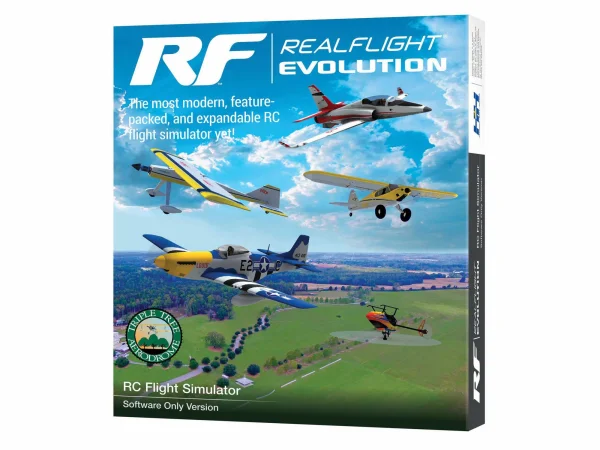

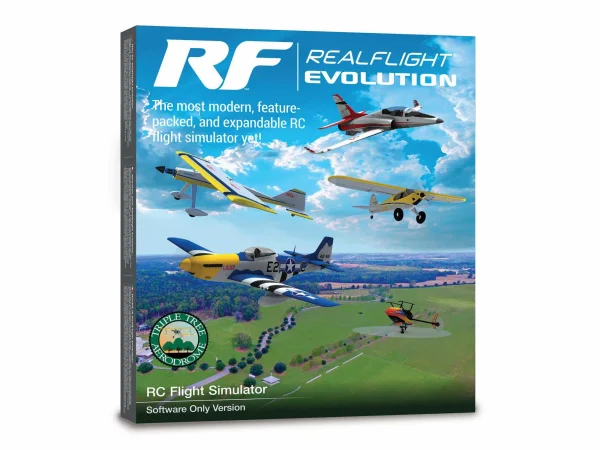




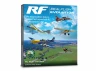



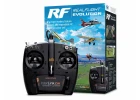
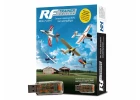
RealFlight Evolution RC Flight Simulator - Software Only
Brand: Real Flight
Part No: RFL2001
Usually ships same day
Fits These Models (7)
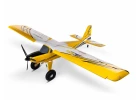
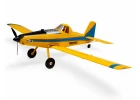
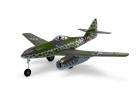
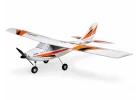
You May Also Need
Add-ons and accessories that go with the RealFlight Evolution RC Flight Simulator - Software Only
Description
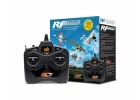
RealFlight Evolution from Real Flight (part RFL2001) is a modern, feature-packed RC flight simulator delivered via Steam. Ideal for beginners and seasoned pilots alike, it offers lifelike physics, a fresh, intuitive interface and a huge library of aircraft and flying sites so you can learn, practise and refine your skills on your PC.
What’s New in Evolution
- Fresh, modern UI designed to be intuitive with minimal keyboard/mouse use.
- Triple Tree Aerodrome main flying site plus dozens of additional 3D fields and PhotoFields.
- More than a dozen new and popular aircraft added from E-flite, HobbyZone, Hangar 9 and Blade.
- Access to new models and fields released quarterly via à la carte purchases, content packs or season passes.
- Additional Virtual Flight Instructor lessons for new pilots.
Included Aircraft Highlights
- E-flite UMX Timber X, UMX Ultrix, UMX Radian; Night Radian 2.0m; T-28 1.2m; Habu SS 50mm & 70mm EDF; F-16 80mm EDF; Viper 90mm EDF.
- HobbyZone Carbon Cub S 2 1.3m.
- Hangar 9 Fun Scale PT-19 56.5” EP; Ultra Stick 60” EP and 10cc.
- Blade 150 S; InFusion 180; Fusion 480 (550) Stretch.
Key Features
- Industry-leading True-To-Life physics for realistic flight behaviour.
- 300+ aircraft (airplanes, helicopters, drones and more) and 75+ flying sites.
- FlexiField Site Editor, plus aircraft editing and custom model import.
- Virtual Flight Instructor lessons and game-like challenges.
- Online multiplayer for flying and competitions.
- Steam delivery for easy installation on multiple PCs and automatic updates; no serials to manage.
- Suggested compatibility with VR headsets including Oculus Rift, Meta Quest, HTC Vive and other SteamVR-compatible headsets (sold separately).
- Suggested compatibility with Spektrum InterLink DX controller via USB, Spektrum WS2000 wireless dongle with DSM2/DSMX transmitters, and direct USB connection to Spektrum NX6/NX8/NX10 and others (all sold separately).
System Requirements
- Minimum Recommended System*
- Windows 7, 8 or 10**
- Intel Pentium 1.0GHz or equivalent
- 512 MB RAM
- 10 GB hard drive space
- DVD drive
- 3D accelerated video with 32 MB dedicated memory; DirectX 9 compliant (Shader Model 2.0+)
- Controller: Spektrum InterLink DX, a Spektrum wireless simulator dongle with DSM2/DSMX transmitter, a RealFlight-compatible controller, or other compatible gamepad/joystick
- Online activation and Internet connectivity required
- Optimal System (Best Graphics)
- Dual Core 2.4GHz CPU
- 2 GB RAM
- 3D accelerated video with 512 MB dedicated memory
- Multiplayer
- Broadband Internet connection
- Computer microphone for voice chat
- VR
- Suggested compatibility with select VR headsets; check manufacturer requirements
- Works with Oculus Rift and HTC Vive
In The Box
- (1) RealFlight Evolution Steam key (on card)
- (1) RealFlight Evolution Installation Guide
Needed to Complete
- Compatible Windows PC (Windows 8, Windows 10 or Windows 11)
- Internet connection to download the Steam Client and RealFlight Evolution
- Controller: Spektrum InterLink DX, a Spektrum wireless simulator dongle with compatible DSM2/DSMX transmitter, a RealFlight-compatible controller, or other compatible gamepad/joystick
Secured by Stripe
RealFlight Evolution RC Flight Simulator - Software Only Manuals & Guides
Manuals & Guides
Specifications
The most modern, feature-packed, and expandable RC flight simulator yet!
For more than two decades, RealFlight® has been the #1 RC flight simulator in the world! It's the absolute best tool new RC pilots can use when learning how to fly. It also makes it possible for experienced RC pilots to practice new maneuvers and hone their skills so they can become even better pilots. Plus, it’s the best way to “try” new Horizon Hobby and other models before you buy them!
With more than 300 different aircraft to fly — including airplanes, helicopters, drones, and more — at over 75 different flying sites, plus the ability to edit and add aircraft and sites, there’s an almost infinite number of flying options available. Add in Virtual Flight Instructor lessons, game-like challenges, multiplayer options so you can fly and compete with other pilots online, compatibility with VR headsets, and many, many more features, and you have everything you need to succeed at the field — because you can “fly” on a desktop at home, or on a laptop just about anywhere else!
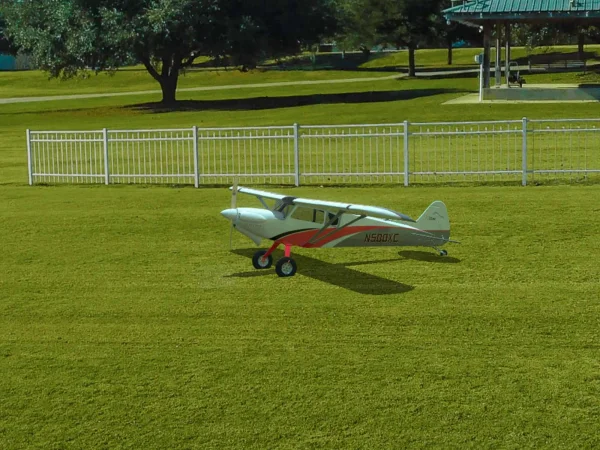
RealFlight Evolution “evolves” the world’s most popular RC flight sim with a fresh and modern user interface, adds the main flying site from Triple Tree Aerodrome – home of the world-famous “Joe Nall” and other events – plus dozens of other 3D fields and PhotoFields. It also adds more than a dozen of the newest and most popular aircraft from E-flite®, HobbyZone®, Hangar 9® and Blade®, and more than 100 additional aircraft models. Best of all, it also gives you access to new models and fields that will be released quarterly (starting in early 2023) for purchase à la carte, in money-saving content packs, or with yearly season passes!
That access to new models and fields comes as a result of RealFlight Evolution being delivered exclusively via Steam® – the world’s largest digital distribution platform for PC games and simulators. Steam eliminates the need to use DVDs and compatible drives for installation, provides seamless and automatic software updates, and even allows you to install RF Evolution on multiple PCs using the Steam Client and your account. There’s no serial number to lose over time and it’s easier than ever to add RealFlight to additional PCs in the future!
RF Evolution runs on a wide variety of PCs (Personal Computers) from low-cost laptops to “gaming” desktops running Windows® 8, 10 or 11. It's available as software only, or with the Spektrum™ InterLink® DX Simulator Controller – which connects directly to a USB port for easy plug-and-play use – that’s modeled after Spektrum transmitters including all standard switch locations and functions so it works just like your favorite radio! Or you can use the WS2000 USB Dongle (sold separately) with a compatible Spektrum 2.4GHz transmitter, like the DXS transmitter included with many of the most popular Ready-To-Fly (RTF) trainer aircraft, for wireless operation. It’s even compatible with direct USB connection to Spektrum NX6, NX8, NX10 and other transmitters!
RealFlight Evolution includes some of the newest and most popular aircraft from E-flite, HobbyZone, Hangar 9 and Blade:
- E-flite UMX Timber X with AS3X® and SAFE® Select Technologies
- E-flite UMX Ultrix with AS3X and SAFE Select Technologies
- E-flite UMX Radian with AS3X and SAFE Select Technologies
- E-flite Night Radian 2.0m with AS3X and SAFE Select Technologies
- E-flite T-28 Trojan 1.2m with AS3X and SAFE Select Technologies
- E-flite Habu SS (Super Sport) 50mm EDF with AS3X and SAFE Select Technologies
- E-flite Habu SS (Super Sport) 70mm EDF with AS3X and SAFE Select Technologies
- E-flite F-16 Falcon 80mm EDF with AS3X and SAFE Select Technologies
- E-flite Viper 90mm EDF with AS3X and SAFE Select Technologies
- HobbyZone Carbon Cub S 2 1.3m with SAFE Technology
- Hangar 9 Fun Scale PT-19 56.5” EP
- Hangar 9 Ultra Stick 60” EP
- Hangar 9 Ultra Stick 60” 10cc
- Blade 150 S Helicopter with AS3X and SAFE Technologies
- Blade InFusion 180 Helicopter with AS3X and SAFE Technologies
- Blade Fusion 480 (550) Stretch Helicopter
If you purchased RealFlight 9.5S at any time you will receive a free copy of RealFlight Evolution! Internet connectivity is required to download the software via Steam after RF Evolution is released on October 28th, 2022.
Or, if you purchased RealFlight 9 or 9.5 at any time you can exchange the serial number for a Steam key to update to 9.5S at no charge! Internet connectivity is required to complete the exchange using the link below:
Use this link to exchange your serial number.
Then you can purchase and download RF Evolution via Steam at the discounted price of $70 (versus the regular price of $99.99) after it’s released on October 28th, 2022.
New RealFlight Evolution Features
- A fresh and modern user interface that’s even easier and more intuitive to use, virtually eliminating the need to use a mouse or keyboard with the InterLink DX controller
- More than a dozen of the newest and most popular ultra micro, sport, scale, EDF and trainer aircraft from E-flite, HobbyZone and Hangar 9 plus multiple helicopters from Blade
- Fly at the newest PhotoField™ – the main flying site from Triple Tree Aerodrome, home of the world-famous “Joe Nall” and other events
- More than 100 additional aircraft plus dozens of 3D fields and PhotoFields previously only available separately via Expansion Packs
- Access to new models and fields released quarterly (starting in early 2023) for purchase à la carte, in money-saving content packs, or with yearly season passes
- Additional Virtual Flight Instructor lessons for new pilots learning to fly with the HobbyZone AeroScout 1.1m
Additional RealFlight Features
- Industry-leading True-To-Life™ physics that make every flight more lifelike than any other sim
- A simple and intuitive interface for zero learning curve, zero hassle, and more fun
- More than 300 aircraft including airplanes, helicopters, drones, and more
- Over 75 different flying sites including 3D fields and PhotoFields
- FlexiField™ Site Editor so you can make fields your own
- The ability to edit aircraft and import custom aircraft
- Virtual Flight Instructor lessons perfect for new pilots
- Game-like challenges that make flying fun and interactive
- Multiplayer options so you can fly or compete with other pilots online
- Compatible with Oculus™ Rift, Meta Quest, HTC® Vive™ and other SteamVR-compatible headsets (sold separately)
- Works with Spektrum wireless simulator dongles for use with compatible DSM2/DSMX equipped transmitters (sold separately)
- Compatible with Spektrum NX6, NX8, NX10 and other transmitters (sold separately) via direct USB connection
- Join the community for additional information, support and tips, to access the model Swap Pages and more on the RealFlight Forums: Click Here To Access The RealFlight Forums
Minimum Recommended System*
- Windows® 7 or Windows 8 or Windows 10**
- Intel® Pentium® 1.0GHz or equivalent
- 512 MB RAM
- 10 GB Hard Drive Space
- DVD Drive
- 3D Accelerated Video with:
- 32 MB Dedicated Video Memory
- Fully DirectX® 9 compliant (Shader Model 2.0 or better)
- Spektrum® InterLink® DX Simulator Controller, a Spektrum wireless simulator dongle plus a compatible DSM2/DSMX equipped transmitter, a RealFlight® compatible controller, or other compatible Gamepad/Joystick
- Online Activation Required
- Internet connectivity required for activation** and to download additional content and updates
Optimal System
For Best Graphical Performance:
- Dual Core 2.4GHz CPU
- 2 GB RAM
- 3D Accelerated Video with: 512 MB dedicated video memory
Multiplayer Requirements:
- Broadband Internet connection
- Computer microphone for voice chat
VR Requirements:
- Compatible with some VR sets (available separately). Check manufacturer's requirements for VR system use.
- Works with both the Oculus Rift and HTC® Vive™ VR headsets
- * Some graphical features may be disabled. Aerodynamic calculations will remain high quality
- ** Administrator access required
- Windows is a registered trademark of Microsoft Corporation in the United States and other countries.
In The Box
- (1) RealFlight Evolution Steam® Key (on card)
- (1) RealFlight Evolution Installation Guide
Needed to Complete
- Compatible PC laptop or desktop with Windows® 8, Windows 10 or Windows 11
- Internet connection to download the Steam® Client and RealFlight Evolution software
- Spektrum InterLink DX Simulator Controller, a Spektrum wireless simulator dongle plus a compatible DSM2/DSMX equipped transmitter, a RealFlight compatible controller, or other compatible Gamepad/Joystick
Key Info:
- Brand: Real Flight
- Part No: RFL2001
- Barcode: 605482167052
- Fitment: Option Part
- Fitment: Standard Part
Additional Categories:
Delivery & Returns
Free Shipping
This item is over £100, so qualifies for free standard UK shipping!
Express Shipping
Upgrade to next day from £3
Worldwide Shipping
Available at checkout
Customer Reviews
Such a great investment for anyone wanting to improve their flying skills. So much easier and safer to learn on the SIM before taking it to the sky.
Questions & Answers
Hi it says you need the dongle SPMWS2000
Minimum Recommended System*
- Windows® 7 or Windows 8 or Windows 10**
- Intel® Pentium® 1.0GHz or equivalent
- 512 MB RAM
- 10 GB Hard Drive Space
- DVD Drive
- 3D Accelerated Video with:
- 32 MB Dedicated Video Memory
- Fully DirectX® 9 compliant (Shader Model 2.0 or better)
- Spektrum® InterLink® DX Simulator Controller, a Spektrum wireless simulator dongle plus a compatible DSM2/DSMX equipped transmitter, a RealFlight® compatible controller, or other compatible Gamepad/Joystick
- Online Activation Required
- Internet connectivity required for activation** and to download additional content and updates
For the NX8 you need the dongle and the software is steam so no need for a drive , you cannot use the usb as that is for the interlink handset only, the NX8 does it wireless.
No, I'm very sorry but this need a Windows opperating system.
Yes this requires a dvd drive.
For more in depth queries, please contact us.